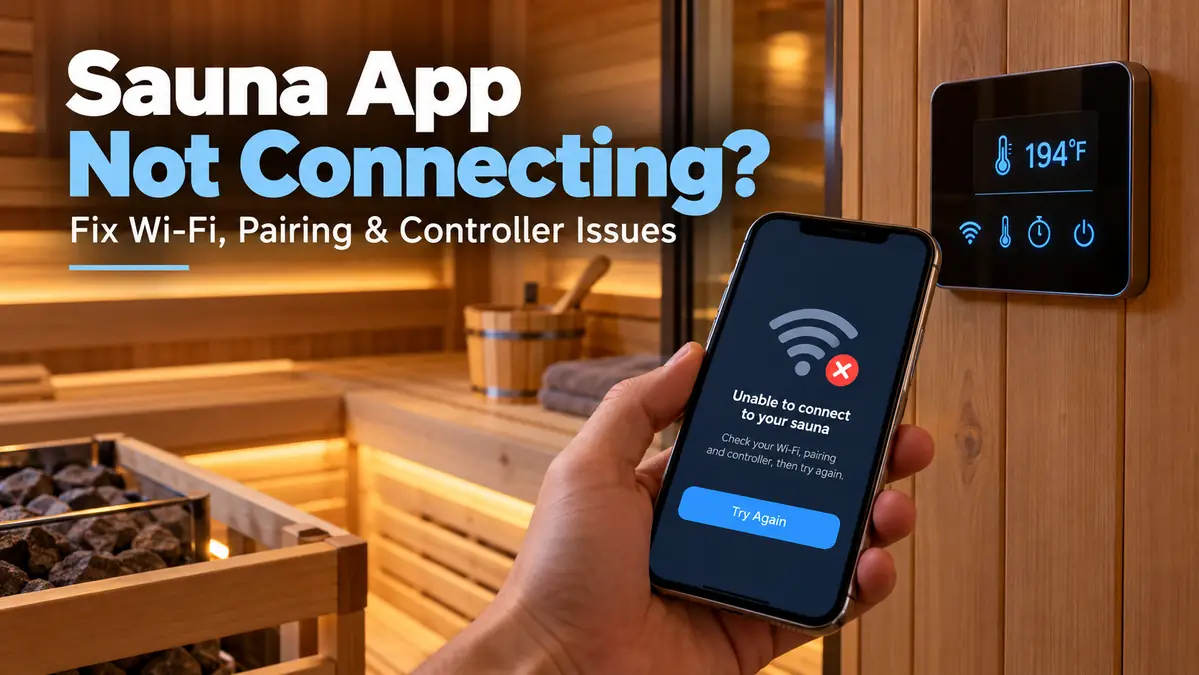
Sauna App Not Connecting? Fix Wi-Fi, Pairing & Controller Issues

A sauna app not connecting can look like a controller failure when the real problem is often the connection path: Wi-Fi band, pairing mode, phone permissions, stored network credentials, or a controller that has dropped offline.
The quickest way to solve it is to test one layer at a time. This guide shows you how to separate a phone or app problem from a router, Wi-Fi, pairing, remote-start, or controller issue without drifting into unsafe electrical troubleshooting.
If the physical sauna controls still work but the app does not, start with connectivity before assuming the heater itself has failed.
Go to Section
- Quick checks
- 2.4 GHz Wi-Fi
- Step-by-step Wi-Fi fixes
- App and Bluetooth pairing
- Previously connected, now offline
- Manual controls work, app does not
- When the problem is not Wi-Fi
- Troubleshooting flow
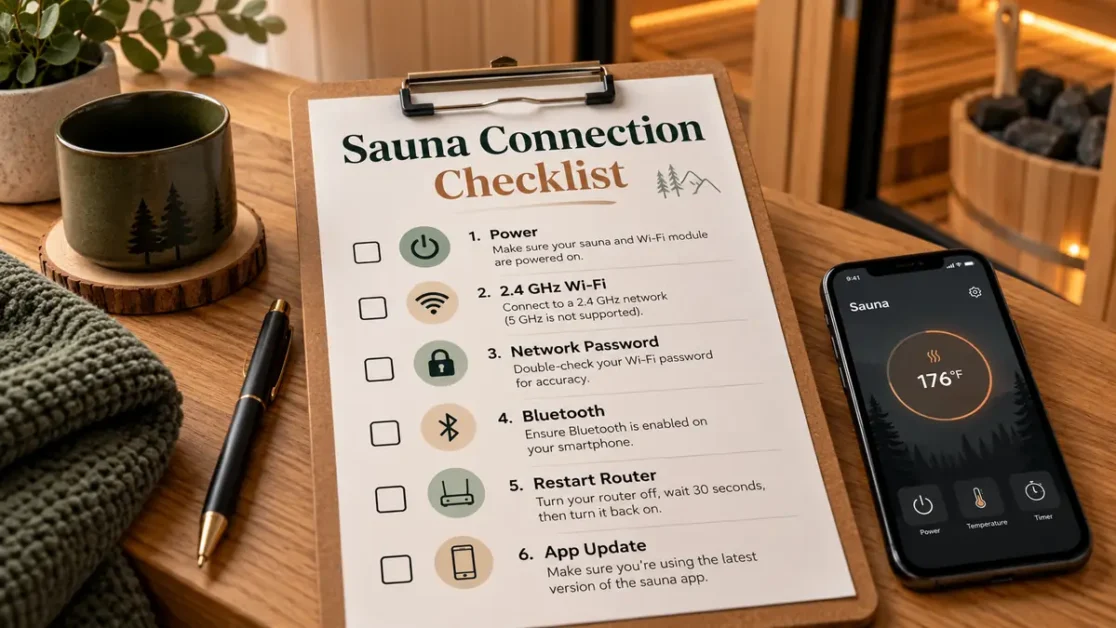
Quick Answer: Check These Things First
- Confirm the sauna or controller has normal power.
- Test whether the physical controls still work.
- Check the Wi-Fi band required by your controller.
- Verify the network name and password.
- Turn on Bluetooth if your system uses it during pairing.
- Stand close to the sauna during initial setup.
- Check app permissions for Bluetooth or nearby devices.
- Restart the router if the sauna worked before but is now offline.
- Check for an app update.
- Use the manufacturer’s exact reset instructions only after simpler checks fail.
5-Minute Sauna Connection Diagnostic
| What you see | Check first | Likely problem area |
|---|---|---|
| Sauna never appears during setup | Bluetooth and pairing mode | Phone or controller |
| Sauna appears but Wi-Fi setup fails | Wi-Fi band and password | Network |
| Sauna worked before but now shows offline | Router and controller connection | Network |
| App opens but commands do nothing | Controller online status and internet | App, network, or cloud |
| Another phone works normally | Permissions and app settings | Phone |
| Physical panel works but app does not | Wi-Fi and app connection | Connectivity |
| Physical panel also fails | Stop Wi-Fi troubleshooting | Power, controller, or heater system |
| Remote start is blocked but local controls work | Door or safety status | Remote-start safety system |
Change one thing, test again, and move to the next layer only if the problem remains.
Is the Sauna Offline, or Is Only the App Offline?
Start at the physical sauna controls. Try the normal control panel without using your phone.
If the physical controls work
The heater and local controller may still be operating normally. Concentrate on Wi-Fi, app pairing, account login, phone permissions, controller online status, and remote-start authorization.
If you want a broader explanation of how remote controls fit into the sauna system, see the site’s smart sauna controller with Wi-Fi guide.
If the physical controls do not work
Stop treating the problem as an app issue. A sauna that has lost both local and remote control may have a different fault involving power, the control system, the heater, a safety device, or another component.
Do not open an electrical enclosure, bypass a door switch, defeat a safety device, or change wiring because an app says the sauna is offline.
Check Whether Your Sauna Requires 2.4 GHz Wi-Fi
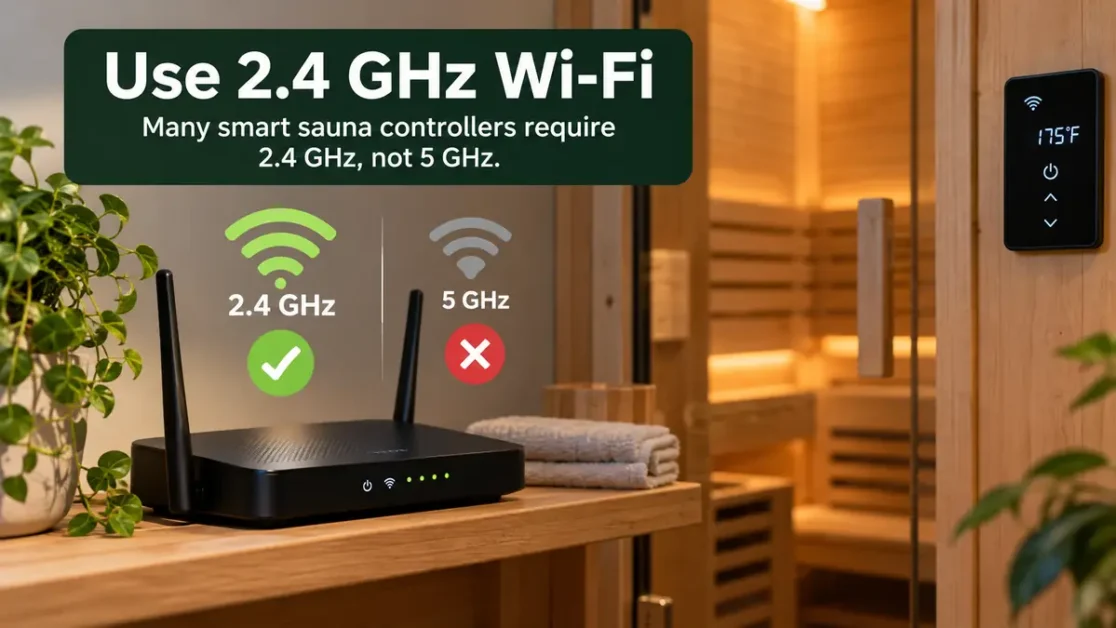
The Wi-Fi band is one of the first settings worth checking. Many smart-sauna controllers use 2.4 GHz because it has broader device compatibility than 5 GHz, but the requirement is model-specific.
Harvia’s official MyHarvia/Xenio troubleshooting documentation, for example, says Xenio WiFi supports 2.4 GHz and notes that band steering can interfere with pairing. It also lists model-specific network requirements and troubleshooting steps in its official MyHarvia troubleshooting guide.
A combined Wi-Fi name can complicate setup
Some routers broadcast 2.4 GHz and 5 GHz under the same network name. That is convenient for phones and laptops, but some smart-home devices can struggle during initial pairing when the router tries to steer them between bands.
- Open your router settings or router app.
- Confirm 2.4 GHz Wi-Fi is enabled.
- Check your sauna controller manual for its exact network requirement.
- If the manual recommends it, temporarily use a separately named 2.4 GHz network for setup.
- Retry pairing without changing unrelated router settings.
Fix Sauna Wi-Fi Connection Problems Step by Step
1. Confirm normal controller power
Look at the sauna’s normal user-accessible control panel. If it is completely unresponsive, the problem may no longer be a Wi-Fi issue.
2. Verify the required Wi-Fi band
Check the manual or support page for your exact controller. If it specifies 2.4 GHz, make sure you are not trying to connect it to a 5 GHz-only network.
3. Recheck the network name and password
A single wrong character can stop setup. Check uppercase and lowercase letters, spaces, recently changed passwords, and whether the router name changed after an upgrade or replacement.
4. Move the phone close during pairing
Initial setup may use a short-range connection between the phone and controller before Wi-Fi takes over. Standing beside the sauna removes one avoidable variable.
5. Restart the router when a previously working sauna goes offline
If nothing about the sauna changed but it suddenly shows offline, restart the home network using the router manufacturer’s normal procedure. Do not jump straight to a factory reset.
6. Restart the controller only as its manual allows
Use the normal user-level restart procedure for your model. Avoid opening control boxes, disconnecting internal wiring, or improvising electrical reset methods.
7. Try pairing again
Once the network, permissions, and controller status are confirmed, repeat the manufacturer’s setup sequence. If it fails in the same place, write down the exact step and any message shown on screen.
Why Your Sauna App Can’t Find the Sauna
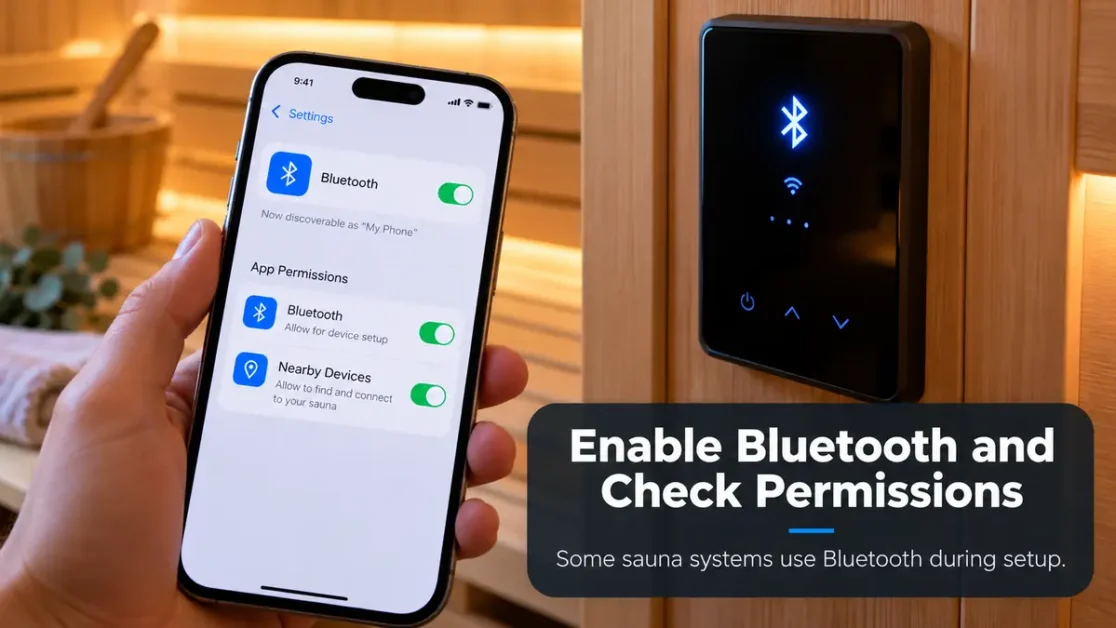
A sauna that never appears during setup has a different problem from one that appears but refuses a Wi-Fi password. Treat discovery as its own troubleshooting stage.
Bluetooth may be required
Some smart-sauna systems use Bluetooth during initial setup even though everyday remote control later happens through Wi-Fi or the internet. Check your controller instructions before assuming Bluetooth is optional.
The controller may not be in pairing mode
A powered sauna is not necessarily discoverable. Some systems require a specific button sequence or setup mode before the app can find the controller.
The phone may lack permission to scan
- Confirm Bluetooth access if required.
- Confirm nearby-device access where applicable.
- Check operating-system-specific permissions listed by the app.
- Disable a VPN temporarily during setup if the manufacturer identifies it as a pairing problem.
Sauna Connected Before but Is Now Offline
A sauna that worked for months and suddenly appears offline should not be treated like a first-time installation. Ask what changed first.
- Router replacement
- Changed Wi-Fi password
- Changed network name
- Internet outage
- Router restart
- Controller restart
- Phone or app update
- App logout
If the router name or password changed, the sauna may still be trying to join its old network.
- Confirm the home internet works.
- Confirm the required Wi-Fi network is available.
- Restart the router if appropriate.
- Check the controller’s network status.
- Reopen or log back into the app.
- Reconnect the sauna according to its manual if the stored network is no longer valid.
Smart Sauna Works Manually but Not From the App
This is one of the strongest clues that the fault is in the remote-control path rather than basic heater operation.
Check whether the controller is online
Look for the controller’s normal network-status indicator or status menu. If the controller is no longer connected to the router, reinstalling the phone app will not solve that connection.
Check the phone’s internet connection and login
Remote control may depend on internet access and an authenticated account. Confirm the phone has working internet, then check whether the app is still logged into the correct account.
Check for an app update
If the app has not been updated recently, check the official app store. Reinstallation belongs later in the sequence, after network and controller checks.
App Connects but Remote Start Still Does Not Work
A working app connection does not automatically mean remote heating is authorized. Some systems require a confirmed safe state before remote start is allowed.
- Read the exact message shown in the app or controller.
- Check whether the sauna door was opened after safe status was set.
- Check the manufacturer’s normal safe-status procedure.
- Confirm required door or safety sensors are reporting normally.
- Contact the manufacturer or installer if the safety system reports a persistent fault.
Never bypass a door sensor, heater guard, safety switch, or remote-start interlock to make app control work.
Should You Factory-Reset the Sauna Controller?
A factory reset can be useful, but it should not be the first response to every connectivity problem. A reset may erase stored network information or force you to repeat setup.
- Verify the correct network.
- Verify the password.
- Confirm required phone permissions.
- Confirm pairing mode.
- Restart the router if appropriate.
- Check the app version.
- Log back into the app if needed.
- Retry the normal connection process.
- Only then follow the factory-reset procedure for your exact model.
When the Problem Is Not Wi-Fi
Stop app troubleshooting when the symptoms move outside normal connectivity.
- The physical controller has no power.
- A breaker trips repeatedly.
- There is a burning smell.
- You see heat damage or damaged wiring.
- The local panel reports a persistent hardware fault.
- The heater will not operate from the physical controls.
- A safety device reports a fault that does not clear using its documented user procedure.
If you are still checking the broader setup, the site’s home sauna installation guide covers the larger planning and installation picture.
Do not remove an electrical enclosure or test mains wiring because the mobile app shows the controller as offline.
Can Weak Wi-Fi Cause a Sauna to Keep Going Offline?
Yes, weak coverage can contribute to repeated dropouts, but confirm signal strength is actually the problem before buying networking equipment.
- Check whether the controller connects reliably during initial setup.
- Compare behavior when the router or an approved access point is closer.
- Check the controller’s network indicator if the manufacturer provides one.
- Note whether failures happen only when the sauna is far from the router.
If weak coverage is confirmed, an appropriately positioned access point, mesh node, or extender may help. Do not install ordinary networking hardware inside the heated sauna room unless it is specifically rated for that environment.
What to Record Before Contacting Sauna Support
A precise fault report gives support much more to work with than saying the app does not work.
- Sauna brand and model
- Controller model
- App name and version
- Phone model and operating-system version
- Router model
- Wi-Fi band being used
- Exact error message or code
- Whether physical controls still work
- Whether remote control worked before
- What changed before the problem started
- Troubleshooting steps already attempted
Take a screenshot of any error message before resetting the app or controller.
Common Sauna Wi-Fi Troubleshooting Mistakes
Resetting everything at once
If you restart the router, reset the controller, reinstall the app, and change network settings together, you will not know which action mattered. Make one change and retest.
Assuming every controller uses the same setup process
Pairing sequences, reset procedures, supported bands, and error codes vary by manufacturer and model. Use the exact documentation for your controller.
Treating an app problem as an electrical problem
If the sauna works locally, do not start opening electrical equipment because the phone cannot connect. Work through the communications path first.
Factory-resetting too early
A factory reset can create more setup work without changing the underlying Wi-Fi problem. Use it when the manual tells you to use it.
A Simple Sauna App Troubleshooting Flow
- Does the sauna work from the physical panel? If no, stop Wi-Fi troubleshooting. If yes, continue.
- Does the app see the sauna? If no, check pairing mode, Bluetooth if required, proximity, and phone permissions.
- Does Wi-Fi setup complete? If no, check the required band, network name, password, and model-specific network rules.
- Does the app show the sauna online? If no, check router connectivity and stored network information.
- Can the app communicate but not start heating remotely? Check safe status, door sensor, or other approved remote-start conditions.
- Does the same problem remain? Record the model, app version, error message, network details, and steps already attempted, then contact manufacturer support.
FAQs:
Why won’t my sauna app connect?
Start by checking whether the physical controls still work. If they do, verify the Wi-Fi band required by your controller, the network password, pairing mode, and any Bluetooth or nearby-device permissions required by the app.
Does a smart sauna need 2.4 GHz Wi-Fi?
Many smart-sauna controllers use 2.4 GHz, but the requirement varies by model. Check the exact controller manual or manufacturer support page before changing router settings.
Why does my sauna work manually but not through the app?
That usually shifts attention toward the remote-control path: controller Wi-Fi status, phone internet, app login, app version, or a remote-start safety condition.
Why can’t my sauna app find the controller?
The controller may not be in pairing mode, Bluetooth may be required, the phone may lack nearby-device permission, or the phone may be too far from the controller during setup.
Should I factory-reset my sauna controller if the app stops working?
Not immediately. Check network credentials, Wi-Fi band, app permissions, app version, and normal restart procedures first. Reset only according to the instructions for your exact controller.
Why did my sauna go offline after changing routers?
The controller may still have the old network name or password stored. Confirm the new router supports the required band and reconnect the controller using its normal setup process.
Can a Wi-Fi extender help an outdoor or distant sauna?
It can help if weak coverage is the real problem. Confirm signal strength first, and place networking equipment according to its environmental rating rather than inside the hot room by default.